That was the intro. The whole tutorial is in the kit.

Get the kit$29

Ancjo's Animation Kit

  • 2 add-ons I made
  • 2 Blender scenes, yours to use
  • Subtitles in 11 languages
  • 37-minute tutorial
$29 $29

With code ANCJO20, until

Lowest price in the 30 days before the discount:

What you'll get

2 add-ons

I wrote them for my own films.

More

2 scenes

The .blend files from the tutorial. You can use them in your own work, commercial projects too.

More

Tutorial

37 minutes, two shots step by step. Subtitles in 11 languages.

More

Ancjo'sAnimation Kit

The whole kit

$29 $29

Lowest price in the 30 days before the discount:

Get the kit

Two scenes, yours to keep

The same .blend files I use in the tutorial, from the empty start to the finished shot. Everything in them is mine, so you can use them in your own work, commercial projects too. Just don't resell or share the files.
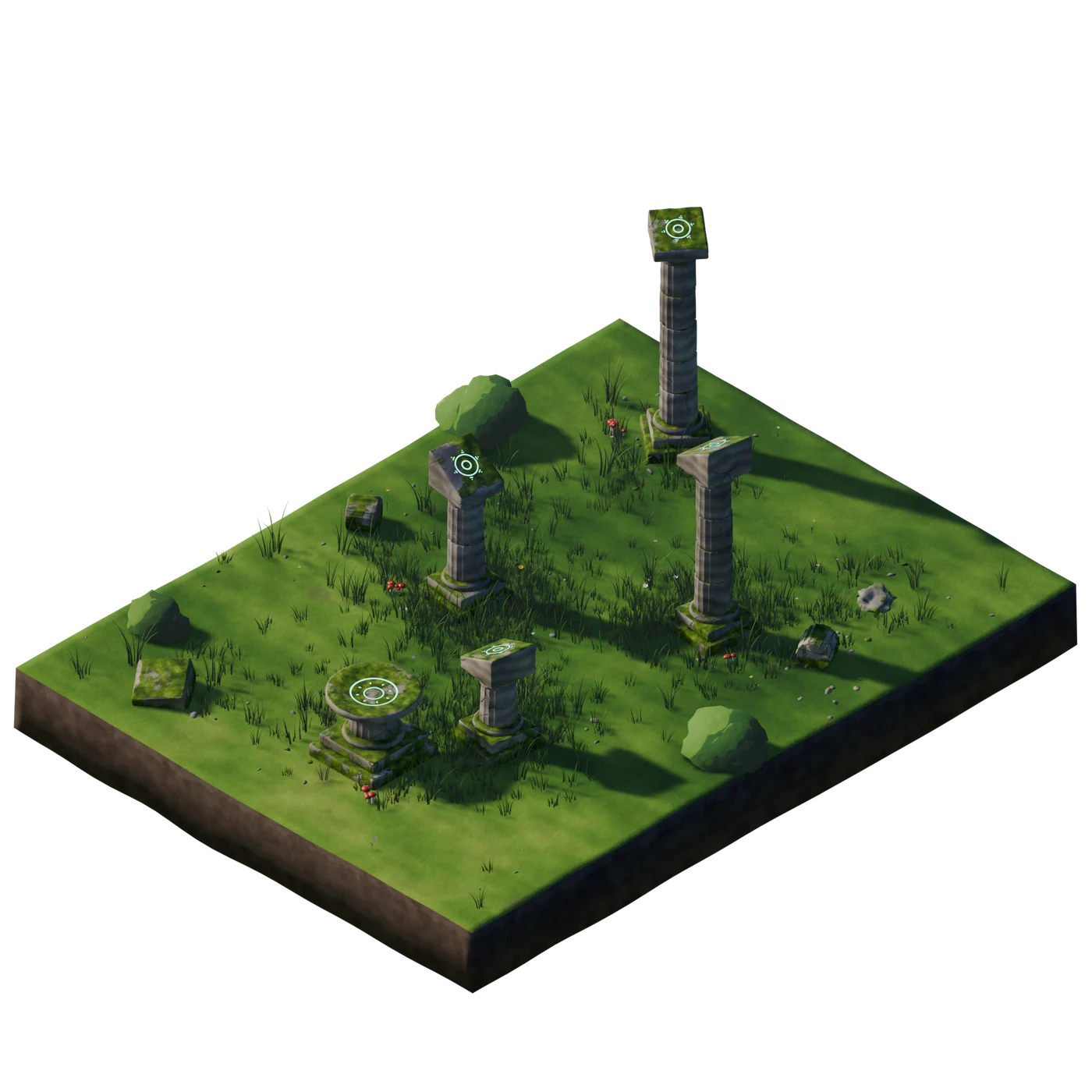
  • 1920×1080, rendered in EEVEE
  • Two .blend files: the empty start and the finished shot
The meadow from The Bouncing Ball as an isometric diorama: the stone pillars and the pedestal on a cut of grass

Blender, made for drawing

Two tools I wrote for my own films. They make Blender much easier to draw in, and the tutorial shows them in use.

Simplified preview

Drawing Toolkit

Setting up a scene for drawing used to take me a few minutes. Now it's one click.

ancjo_gp_tools.py

Drawing Toolkit

  • A canvas in front of the cameraOne click puts a drawing surface at the 3D cursor, facing the camera, with a palette, layers and a brush that keeps its size in the frame.
  • Camera slidersOrbit around your drawing and push in, key the camera and the canvases together, and let canvases follow the camera only when you want them to.
  • Your reference on itAn image or a video behind the canvas or in the camera, keyframed when it has to move.
  • Auto Fill All and Click FillIt finds every closed shape in your lines, closes the small gaps and colors the whole animation, right into the sharp corners. Or click a shape to fill it, and again to change its color.
  • Masks inside masksGrease Pencil masks only one level deep. This works out the real shape, so shading stays inside the color.
  • Drawings that cast shadowsYour drawing throws a shadow on the 3D scene, and the drawing itself stays untouched.
Simplified preview

Split Render

The drawings and the 3D world render apart, in one click.

ancjo_gp_render_passes.py

Split Render

  • Two passes, one clickThe 3D world and the drawings render into their own folders, ready for any editor. Nothing to sort into collections first.
  • 3D still covers 2DObjects in front of a drawing cut it out in the render, exactly like they do in the viewport.
  • 3D props in a 2D handAny 3D object you pick renders with the drawings, so a character can hold it.
  • Render in the backgroundA second Blender renders the animation while you keep working in the first.
  • Pick the layersLeave any layer out of the drawings' pass with one click.
  • Your scene comes back as it wasEvery setting it changes for a render is put back afterwards, even after a crash.

The tutorial

Both shots from an empty scene to the final polish, step by step. 37 minutes, with subtitles in 11 languages.

Getting Started

2 min
  1. Welcome
  2. Installing Blender
  3. Installing the Plugins

The Bouncing Ball

11 min
  1. 1Opening the Scene & the Reference Ball
  2. 2Animating the Camera
  3. 3Grease Pencil Object & Wash Layer
  4. 4Rotoscoping the Ball
  5. 5Coloring with Auto Fill
  6. 6Matching the Colors
  7. 7Shadow Layer & Rim Light
  8. 8Contact Shadows
  9. 9Soft Shadow & Glow
  10. 10Depth of Field
  11. 11Rendering the Ball

The Finger Gun

24 min
  1. 1Storyboarding the Shot
  2. 2Recording the Reference
  3. 3Cutting & Retiming
  4. 4Setting Up the 3D Scene
  5. 5Rotoscoping the Keyframes
  6. 6Color & Shading Layers
  7. 7The Dynamic Light Flash
  8. 8Rendering with the Plugin
  9. 9Post-Processing & Final Polish
  10. Wrap-up

Questions

Can I use the scenes in my own work?

Yes, also commercially, in your films, videos and other projects. The only thing you can't do is resell or share the scene files themselves.

I'm on my phone. Should I wait?

No need. After you buy, the download link comes by email, so you can open it later on your computer. The kit is one ZIP of 1.33 GB.

I've never animated in Blender. Is it for me?

Start with the bouncing ball. It's made for beginners and goes step by step, from opening the scene to the render. The finger gun comes after it.

What if my English isn't great?

The tutorial has subtitles in 11 languages: English, Polish, Spanish, Portuguese, German, French, Italian, Russian, Japanese, Chinese and Korean.

Which Blender version do I need?

5.2 LTS or newer, which is free. The scenes are saved in 5.2, so older versions may not open them. DaVinci Resolve (also free) is only for the last chapter, and any editor works there.

Something's wrong, or I have another question.

Write to me at [email protected], or find me on Discord.

Get the kit

$29 $29

With code ANCJO20 until . It's filled in for you.

Lowest price in the 30 days before the discount:

One ZIP, 1.33 GB. The link comes by email, so you can buy on your phone and download it later. You need Blender 5.2 LTS or newer, which is free.